Moving links from one task to another
If you have drawn a link incorrectly - to or from the wrong task, for example, you can easily click and drag the start or finish of the link to the correct task.
Try this now, by moving the finish of the link that currently joins the Brickwork to DPC and Finish on Site tasks:
- Click the link to select it:
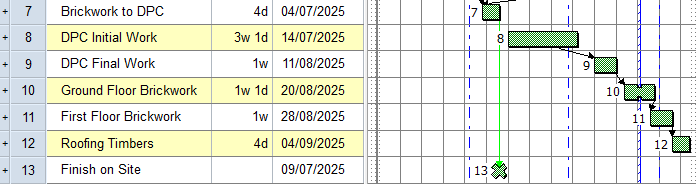
- Position the mouse pointer over the finish of the link until it changes to
 .
. - Click and drag the finish of the link from the Finish on Site task to the start of the DPC Initial Work task. A popup appears as you drag the link:
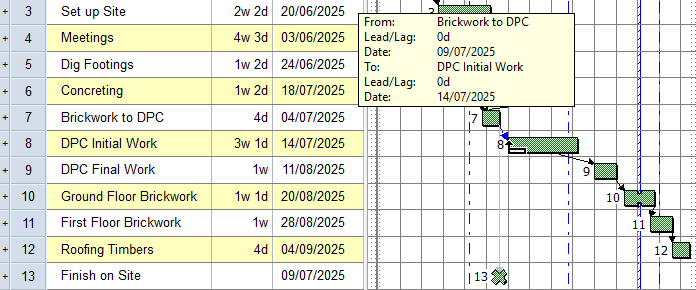
- Release the mouse button when the link is positioned correctly. The link is moved from the Finish on Site task to the start of the DPC Initial Work task.
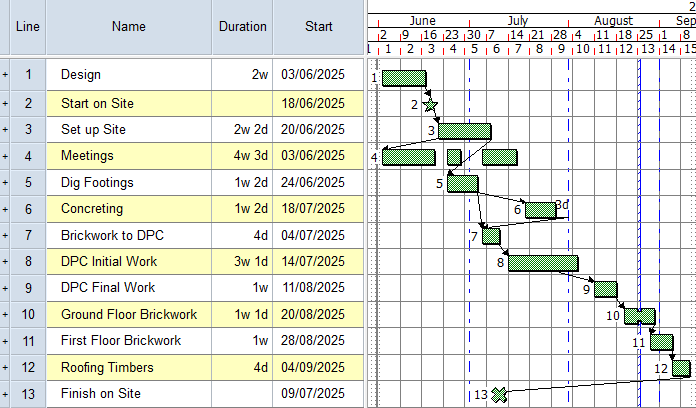
To finish, draw a link Finish-to-Start link from the Roofing Timbers task to the Finish on Site task.
Your project should now look something like this (note that the dates and durations of tasks may be different):
| Previous | Next |
| Linking tasks automatically as they are created |