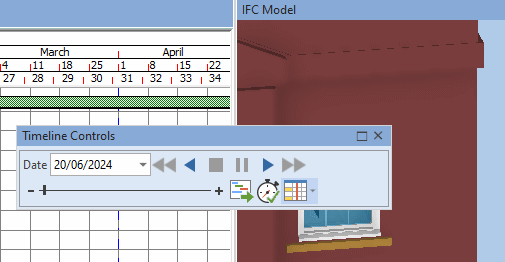
The Timeline Controls pane
The Timeline Controls pane contains the controls that you use to manage timeline simulations; it duplicates most of the controls in the Timeline group on the 4D tab of the Ribbon. Because the Timeline Controls pane is dockable, you can position it wherever you want. This makes it easier to control timeline simulations, particularly if you work with more than one monitor and display your timeline simulations in panes that float above and are positioned away from the Asta Powerproject window.
Illustration of the dockable Timeline Controls pane, floating above the Asta Powerproject window: